
Just like SurferSEO and Notion showed us, Narrato Workspace has now brought in AI writing and picture making to its tools.
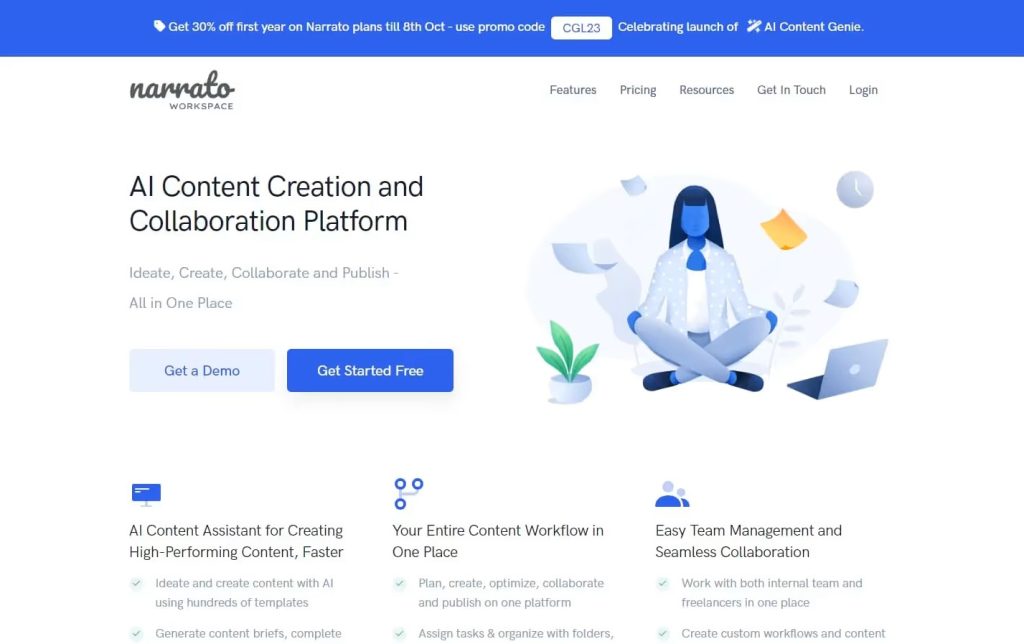
More workspaces are now using AI to help create content.
This is becoming very popular. SurferSEO and Notion already use AI. Now, Narrato Workspace has started using AI for writing and making pictures too.
Is it working well?
We’re going to check this out.
- What’s great about Narrato Workspace AI
- Steps to make it work well
- What stuff you can make with it
- What you need to pay for it
- Cool things it can do
- Good and bad points
- Other choices besides Narrato Workspace AI
- If AI Detectors can spot its content
- Our overall thoughts on Narrato Workspace AI
Quick Look at Narrato Workspace
- Easy to use: It gets a 9 out of 10
- Cool tools: It gets an 8 out of 10
- Help from Support: Also, an 8 out of 10
- The cost: Yep, it’s an 8 out of 10
- How fast it is: A 7 on the speed scale
Summary – 8/10
The Narrato Workspace is a great tool for teams making content for marketing. It’s really helpful because it has an AI feature for making content. Plus, having lots of extra features all in one place is great for teams that don’t have a lot of money or resources.
This makes the Narrato Workspace perfect for managing content projects. It’s also awesome for coming up with new content ideas, making more content, and taking care of content overall.
Who is Narrato Workspace best for?
The Narrato Workspace platform and its AI tool for making content are great for marketing managers, freelance writers, consultants, and even SEO experts because of the SEO tools it has.
This workspace helps people in these jobs to make, work together on, and share content fast and without trouble.
Want to make the best use of Narrato Workspace AI?
Here’s the thing: it’s more than just for making content with AI. This space has got SEO tips and all the tools your team needs to shine, all in one smooth flow. This app is super easy to use.
You can set up tasks, keep track of your content plans, and check on everything, all in one spot. So, don’t forget to experiment during your free 14-day trial to really see what you can do with your membership.
What Kind of Stuff Can You Make With Narrato Workspace AI?
Thanks to lots of tools and cool features, you can make so many different things. These include:
- Blog articles
- SEO content creation
- Social media posts
- Bulk product descriptions
- Imagery
What’s the Price?
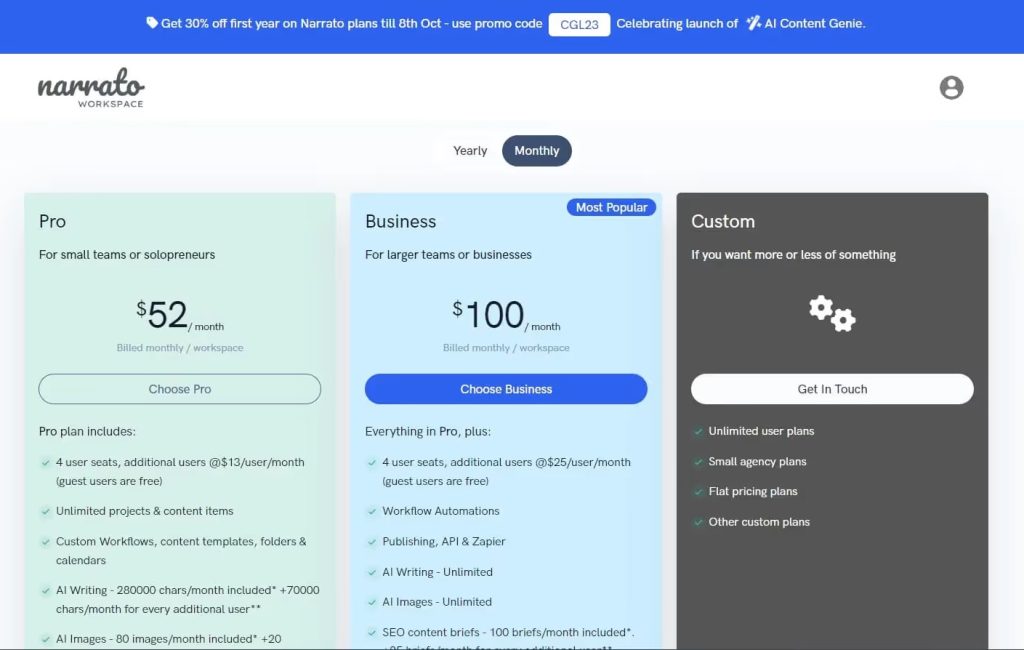
The Pro Plan costs $52 every month
- It allows 4 people to use it
- You can work on as many projects and items as you like
- You get custom workflows, templates for content, folders, and calendars
- Every month, you can use AI to write up to 280,000 characters.
- You also get up to 80 AI-generated images
- You can have 40 SEO content briefs every month
- You get $4 each month to check for plagiarism.
The Business Offer – Only $100 every month
- Space for 4 people
- Helps with your tasks automatically
- Write as much as you want with AI
- Create unlimited pictures with AI
- Get 100 ideas every month to make your website better
- Change things as much as you like, no limits
- Get $8 back every month to check if your work is original
Cool Tools in Narrato Workspace for Writing
Bulk product description generation
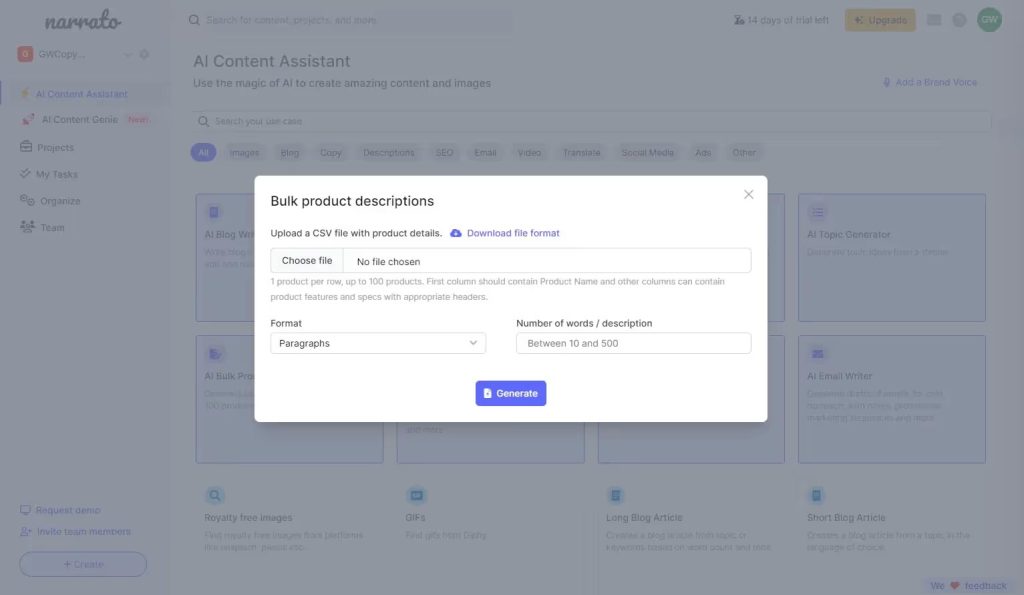
A really useful tool you can use is the bulk product description maker. It lets you take a csv. file with all your product details and make all your product descriptions at once.
After that, you can change the writing to match how your brand talks. This saves a lot of time when you’re starting to create your content.
AI image generation
A great tool you can use is the AI image maker. It helps you make pictures for your social media, blog posts, or any stuff you write.
AI text generation
There are many AI tools available to help with writing. These include tools for creating social media posts, blog articles, and even tools that help improve your website’s visibility on search engines.
Now, let’s see how the blog article tool works.
We start with a prompt:
“write me an article on how AI model collapse occurs”
Here’s the outline we made:
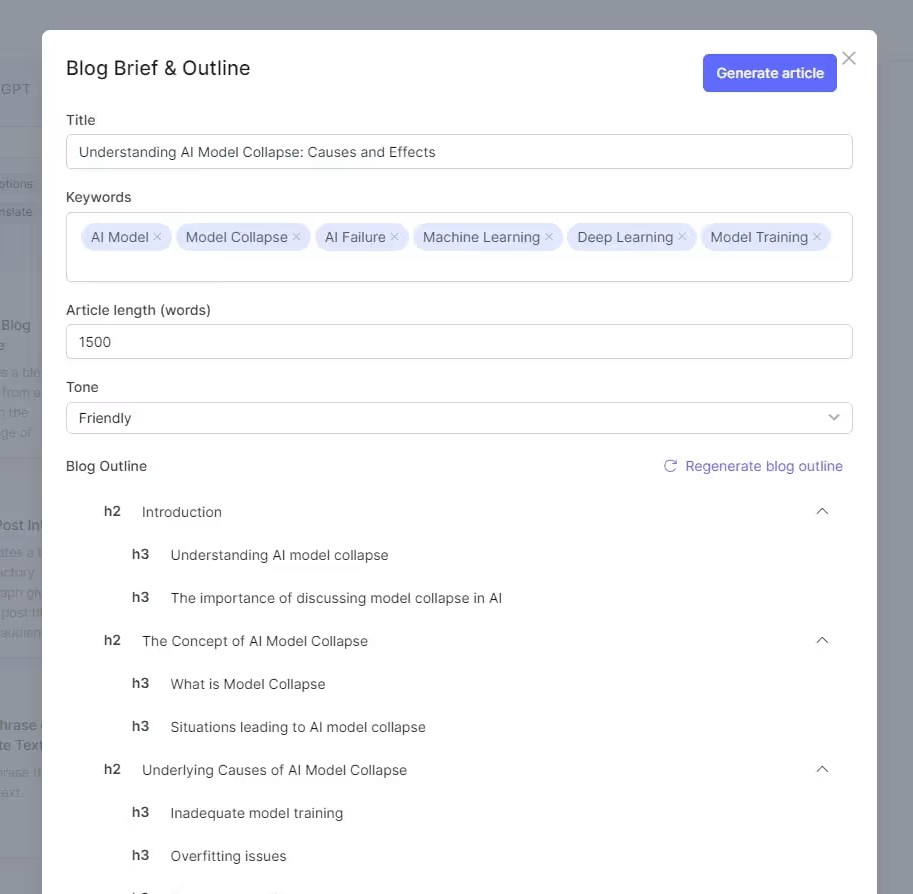
Here is the article we wrote:
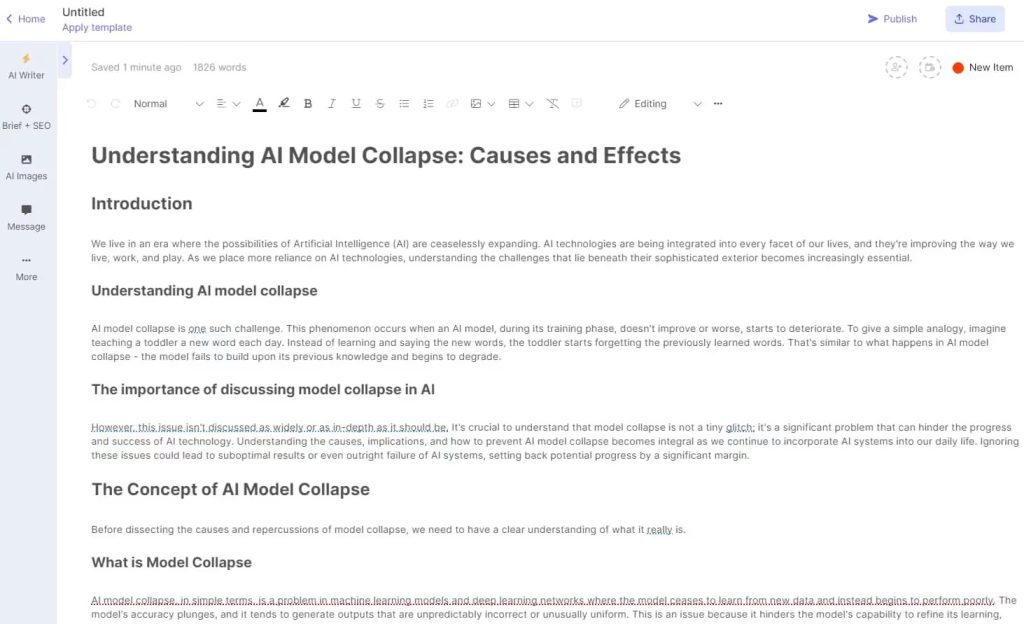
We have a strong base to start from, it’s organized well and has a clear setup.
Other Tools Like Narrato for Content
If you want tools similar to Narrato for handling your content and getting the help of AI for creating content, there are some choices worth looking at. For example, you can think about using Notion.
If you’re mostly looking for help with writing using AI and don’t need help planning content or managing teams, you might like to try Hypotenuse.ai or Simplified AI. Both offer great AI writing help and support for AI pictures too.
Can AI Detectors Spot if Narrato Workspace AI Made Something?
AI checkers quickly spots the article as fully made by AI. This shows us how crucial it is to add our own unique human touch to what we create.
Final Say on Narrato Workspace
Narrato Workspace is great for making AI stuff like product blurbs, pictures, or even big things like blog posts or eBooks.
Adding project stuff helps makes it worth the extra cost.
But remember, mixing in your own style makes everything better. Your readers will notice and appreciate it!
Questions People Often Ask About Narrato Workspace AI
Is Narrato Workspace AI safe and works well?
Yes, many people trust Narrato Workspace as a top-notch team management tool. Now, it also includes an AI feature to help create content. It is safe and works great for making things like content plans, posts for social media, and articles for blogs.
Does it cost to use Narrato Workspace AI?
You can start using Narrato Workspace AI for making AI content and for help with automating tasks without paying. But, if you want more features to make your content better, there’s a monthly fee.
How is Narrato Workspace AI different from ChatGPT?
Both let you make content with AI that’s good quality. But, Narrato Workspace also helps with digital marketing tasks. It gives you special templates for content, helps automate tasks, and lets you handle lots of tasks all at once.