
In a world where many AI tools that create content are very much alike, Neuroflash tries to bring something new and different. They think in creative ways to do this. They have made a feature that helps people use AI better, which is great for beginners. They also added an Avatar feature, which is really cool. However, it’s a bit sad that you have to pay extra to use this Avatar feature.
Neuroflash says it’s the best AI for writing and making pictures, but we’ll see about that!
We tested every part of this tool carefully. Now, we’ve got a detailed review ready for you. This review will help you know if it’s a good choice for you.
We’re going to check out some key things next.
- Best Uses for Neuroflash
- Using It Right
- Types of Content
- Cost
- Key Features
- Pros and Cons
- Alternatives
- Final Verdict
Review of Neuroflash AI
- Easy to use: 9 out of 10
- Cool stuff it can do: 8 out of 10
- Help from the team: 8 out of 10
- How much it costs: 8 out of 10
- How fast it is: 9 out of 10
Who Should Use Neuroflash?
If you’re just starting out and doubt your abilities a bit, Neuroflash is the ideal AI tool for you.
This tool is very straightforward and a great starting point for practicing how to create AI images and write content.
While it might not have all the fancy features of more complex tools aimed at specific marketing channels, it’s the best choice for those new to making content with AI.
How to Make Neuroflash Work Well for You
To get the best results with Neuroflash, we really think you should use the tool that helps you make your prompts better.
Sometimes, the suggestions for your prompts might not match exactly what you want. But, they can still help you think more about your idea.
Then, you can change them as needed. Let’s say you want to make a picture of a man running on a beautiful desert road, wearing workout clothes.
That’s a lot of detail, isn’t it?
Now, take a look at what Neuroflash made with that description.
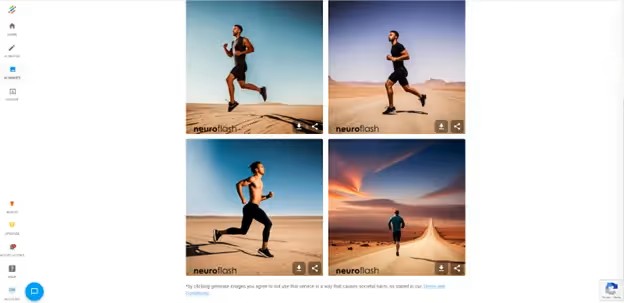
Okay, but can we make it better?
Let’s try the prompt optimizer tool now.
Now our prompt says
“Create an image of a fit, athletic man in his early thirties running along a winding desert road with a breathtaking view of sand dunes in the background. The man should be dressed in tight-fitting fitness apparel, including a sleeveless top and shorts that cling to his muscular legs. The style for this image should be realistic, with a focus on capturing the man’s movement and the beauty of the desert landscape. The perspective should be from behind the runner, with his back facing the viewer and his arms pumping as he runs. Please ensure that the lighting is bright and sunny, with the sun casting long shadows across the road and sand dunes.”
What Kind of Stuff Can Neuroflash Make?
Writing with AI
Just like you’d think with any AI tool for making content, a big thing Neuroflash does is write stuff with AI.
In this place, you get to pick if you want to start a new blog post or something for social media and begin making the stuff you want.
Let’s make an article about the top speakers for travelers. We should keep the writing fun and light, so we’ll go for a funny way of talking.
We have many titles to choose from. I really like this title:
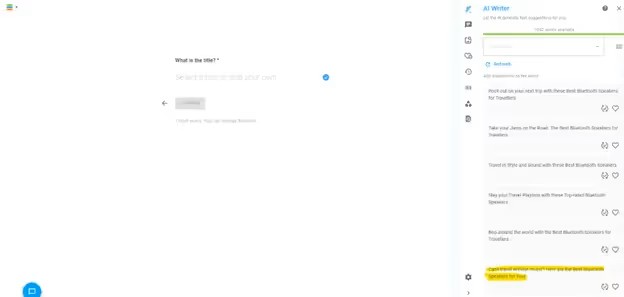
First, let’s pick the main points for our blog.
And we’ve written our complete article.
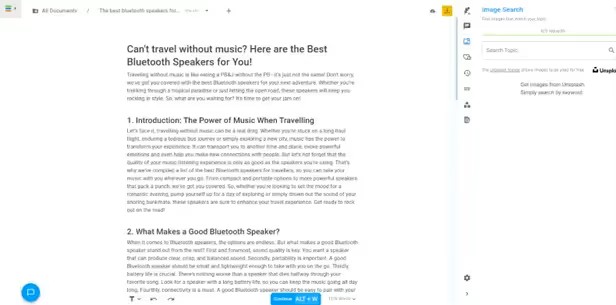
The content we have is a great starting point. However, it still needs a bit of human touch to make it perfect for your brand.
Next, you can choose to change parts of it, improve how it works with search engines, or add pictures that match.
Making Pictures with AI
You can also make pictures with AI using Neuroflash.
This tool might not be as good as what Midjourney offers, but it’s still better than a lot of others out there. Plus, having a tool that helps improve prompts quickly makes it really handy.
AI Avatar
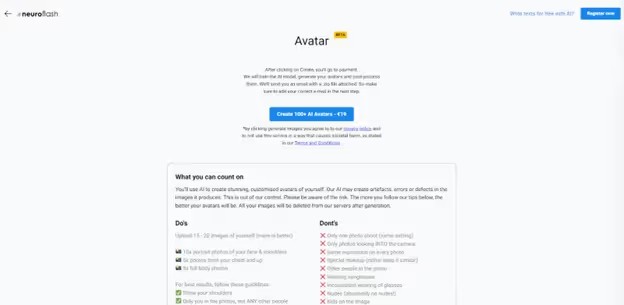
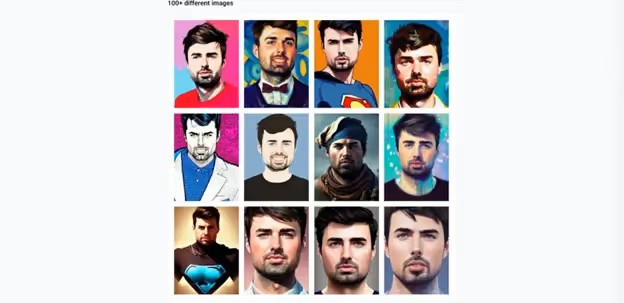
Neuroflash has a cool AI Avatar tool. You upload pictures to it, and it makes an avatar just for you.
Sadly, you have to pay to use this tool, which is a bit disappointing. But, as you’ll notice in the next part, what it can do is still quite amazing.
What’s the Price?
Free – Start Writing with AI Help – No Cost
- Get up to 2,000 words
- Use ChatFlash
- Create 5 AI pictures
- Find 5 Unsplash pictures
- Do 1 SERP (Search Engine Results Page) check
Easy Plan – Only $30 a Month
- Use up to 20,000 words
- Get ChatFlash
- Make 25 AI pictures
- Find 5 cool pictures from Unsplash
- Check the top 5 search results analysis
Get Strong Writing for Your Site for Just $60 Every Month
- Write up to 100,000 words
- Talk all you want with ChatFlash
- Create 50 awesome AI pictures
- Use as many Unsplash photos as you like
- Check out the top 100 search results
Unlimited Writing Plan – Only $200 every month
- Write as many words as you want
- Use ChatFlash all you like
- Create endless AI pictures
- Get as many Unsplash photos as you need
- Do unlimited searches and analysis
Main Features
Create Your Own AI Avatar
Neuroflash stands out because it lets you make your own avatar. You just have to add some pictures, and then you get an avatar that’s all yours.
But, there’s a catch. To use this cool feature, you need to pay, which is a bummer.
Make Your Prompts Better
Neuroflash has a cool tool called the Prompt Optimizer. It’s super helpful, especially if you’re new to making AI prompts.
This tool helps you make better prompts. It adds more details and ideas to make sure the AI does what you want. Let’s say you want a picture of a woman drinking a drink on the beach.
If you don’t know much about making prompts, you might just write “woman drinking an alcoholic beverage on a beach.”
Let’s try out the prompt optimizer and discover how Neuroflash can make our work fit what we need better.
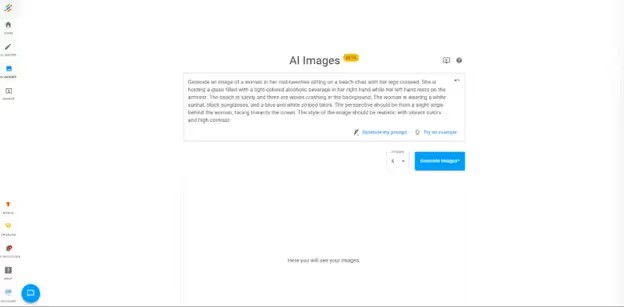
So, this is what we have now.
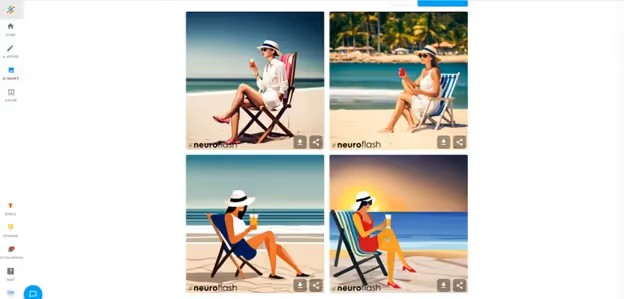
“Generate an image of a woman in her mid-twenties sitting on a beach chair with her legs crossed. She is holding a glass filled with a light-colored alcoholic beverage in her right hand while her left-hand rests on the armrest. The beach is sandy, and waves are crashing in the background. The woman is wearing a white sunhat, black sunglasses, and a blue and white striped bikini. The perspective should be from a slight angle behind the woman, facing toward the ocean. The style of the image should be realistic with vibrant colors and high contrast.”
Here’s what it made:
This helps now and also makes it easier for the customer to make great AI prompts later.
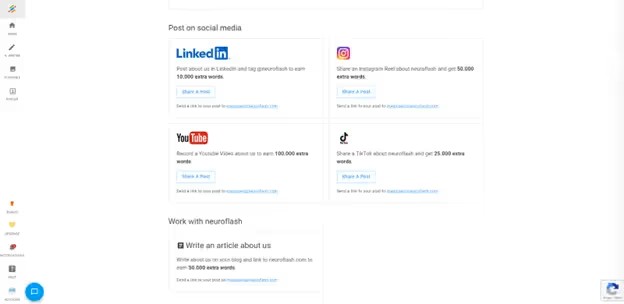
Find Free Words
Customers can get free words if they review or share the product.
This lets customers save money and helps Neuroflash find new customers too.
The program for referring others is good, giving rewards for easy tasks.
Other Options Instead of Neuroflash
Neuroflash is a great starting point to show what AI can do with pictures and writing. But it’s not the top option out there.
Want a better tool for AI writing? Look at Scalenut, Jasper.ai, or Hypotenuse.ai.
And for creating cooler images, Midjourney beats everyone else, even if it costs more.
Neuroflash: Our Final Thoughts
In short, Neuroflash is a great option if you’re curious about making content with AI. It helps a lot along the way.
But, it’s not the top tool out there, even though it has some cool things it can do. So, if you get really good at making AI stuff, you might want something more.
Still, for its cost, Neuroflash is worth checking out.
FAQs About Neuroflash
What is Neuroflash?
Neuroflash is a program that lets you write stuff and make pictures, even make cartoon versions of yourself for some extra money.
Can you use Neuroflash without paying?
Yes, you can start using Neuroflash for free. They have four types of plans, and one is completely free. If you like it and want more, you can choose to pay for more features.
Why should someone use AI to write?
Using AI helps make writing quicker and better. It can make your words more convincing and fun to read. Plus, it uses a lot of information to help make your work even smarter.