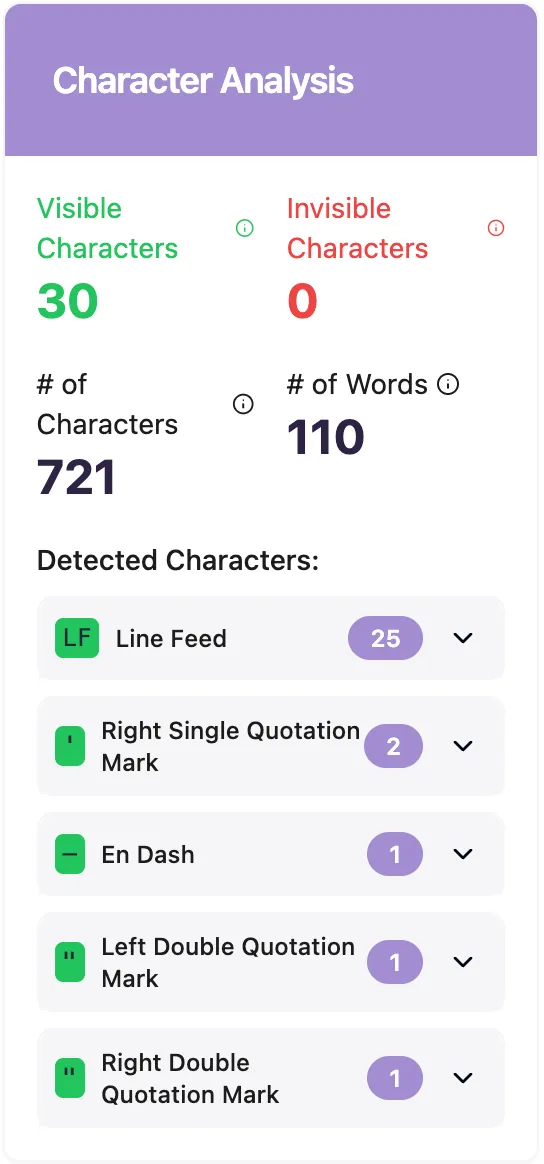
This tool is free to use and helps you spot and delete hidden Unicode characters in your text. AI models such as ChatGPT might sneak in hidden characters like Em-Dash or Zero Width Space. This tool lets you find them and get rid of any you don’t need.
Our free tool finds and deletes hidden Unicode text characters:
This tool helps you see hidden Unicode characters in your text and remove them, either by choosing specific codes or all at once.
To use the tool:
1. Paste your text.
2. View hidden Unicode characters and learn their functions.
3. Choose what to clean.
– Fix everything.
– Remove all invisible characters.
– Target specific ones (e.g., Em-Dash, En-Dash).
4. Copy the cleaned text.
Please remember that if a text was made by a language model like ChatGPT, Claude, or Gemini, it might still be flagged as AI-generated when checked by Originality.ai’s AI Detector.
Key Points:
– Easy Cleanup – Our free tool helps find and erase hidden text characters quickly.
– Privacy Kept – Everything is processed in your browser, so your text stays on your device.
– Not Watermarking – Hidden characters are added by LLMs like ChatGPT, but not for secret marking.
– Character Overuse – ChatGPT often uses several Unicode hidden characters, like the Em Dash.
– Real Risks – Invisible text can lead to security and formatting issues.
– Detectors Work – AI Detection is effective even if you remove hidden characters.
All LLMs include hidden characters.
What are Unicode Hidden Text Characters?
Unicode hidden characters are unique code points that differ from plain ASCII. Some are subtly visible, like em-dashes and smart quotes. Others, like zero-width spaces and joiners, are completely invisible. These characters act as “digital ink,” changing how software wraps lines, splits words, or matches text, often without you noticing.
Does ChatGPT hide watermarks in its text?
No, that’s a mistake. Some think ChatGPT adds hidden marks to its text, but that’s not true. There are two reasons why this is very unlikely.
1. Removing such marks is simple. If users can easily get rid of them, using them wouldn’t make sense.
2. OpenAI says this is just a result of how large-scale reinforcement learning works.
Does ChatGPT Insert Hidden Characters?
Yes, AI models like ChatGPT do add hidden characters. Many are harmless, like formatting marks such as em-dashes, but some, like zero-width spaces, might mess up formatting.
ChatGPT often uses some common Unicode characters:
Em Dash
This long dash often appears in ChatGPT’s text—especially in newer models (versions o3, 4 o, 4.1)—to break sentences or add dramatic pauses.
- Unicode: U+2014
- Description: A long, horizontal dash wider than a hyphen. It’s useful in typography for breaks, but in code, CSV, or plain text, it can act like a non-standard character, causing problems with copy/paste or parsing.
- Example: word—word looks like word-word, but it’s a different Unicode point.
Curly quotes, also called typographer’s quotes, are those fancy quotation marks that appear instead of the regular straight ones. ChatGPT sometimes uses these curly versions.
In Unicode, they have specific codes:
– Left double quote: U+201C
– Right double quote: U+201D
– Left single quote: U+2018
– Right single quote: U+2019
These are curved and designed for printed text. They show up in places where straight quotes (like ” or ‘) might be better, like in coding, CSV files, or Markdown. For example, you might see “hello” or ‘world’.
Invisible Space
This character hides in text, often appearing when copying from certain editors like ChatGPT.
– Unicode: U+200B
– Description: It doesn’t show a gap but splits characters. This can mess with string matching, URLs, and word counts. It might cause issues like “why won’t it paste right?”
– Example: wordword ← seems like one word, but an invisible space is between them.
Why do LLMs use hidden characters?
There are three reasons why these invisible characters are used more by LLMs:
1. Training Bias: LLMs learn from texts that are professionally edited. These texts often have em dashes and smart quotes, so LLMs use them more than everyday writing.
2. Formal Tone: LLMs tend to sound formal or authoritative, and these characters help create that tone.
3. No Keyboard Limits: We don’t use these characters often because they’re not on standard keyboards. LLMs don’t type on keyboards, so using invisible characters is easy for them.
Invisible Characters: Uses and Issues
Why do folks use these?
1. Neat text arrangement – A zero-width space or soft hyphen helps writers decide where lines break, preventing long words from hanging awkwardly on the margin.
2. “Spaces” in usernames – Some sites don’t allow real spaces. By using an invisible Hangul Filler, names like John Doe remain readable while following the “no-space” rule.
3. Hidden watermarks – Publishers can embed a unique pattern of zero-width marks in a piece. If the text leaks, these invisible dots serve as digital fingerprints.
Why do people get concerned about them?
– Formatting: They look the same but act differently. Two parts that seem identical might hash or sort in a different way once hidden characters are included, disrupting exports, searches, or audit trails.
– Invisible spots for harmful code: Attackers can hide malware or secret commands among zero-width characters; the file operates, but nothing unusual is visible to a human code reviewer.
– Silent tricks on AI: Hidden Unicode can sneak extra commands into a chatbot prompt, making the model expose data or create harmful content without the user realizing.
– Your text seems AI-generated: If text uses a lot of unique formatting often used by AI (like Em Dashes), it becomes clear it was AI-generated, which can harm reputations.
Does adding or taking away invisible characters help to fool AI detectors?
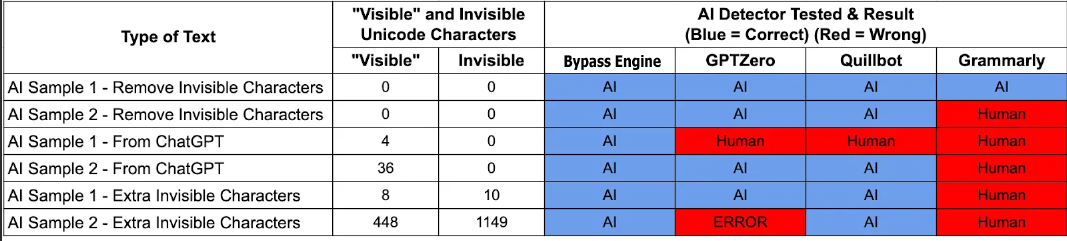
No, it doesn’t. Our quick test shows that adding or removing hidden characters didn’t change how easy it was to spot AI-made content. We made two pieces of AI content and tweaked them by adding extra hidden characters and by removing all Unicode characters using the free tool on this page.
The outcome was that the content was still detectable by most tools, no matter the invisible characters.
Here are the results…
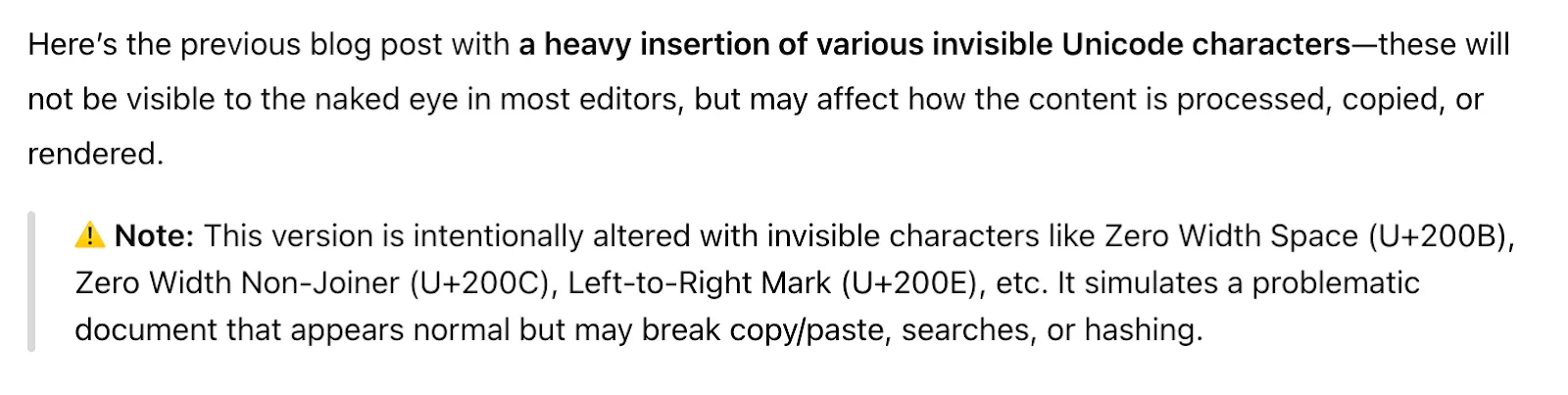
Text AI Example 2 – Extra Hidden Characters had many concealed symbols!
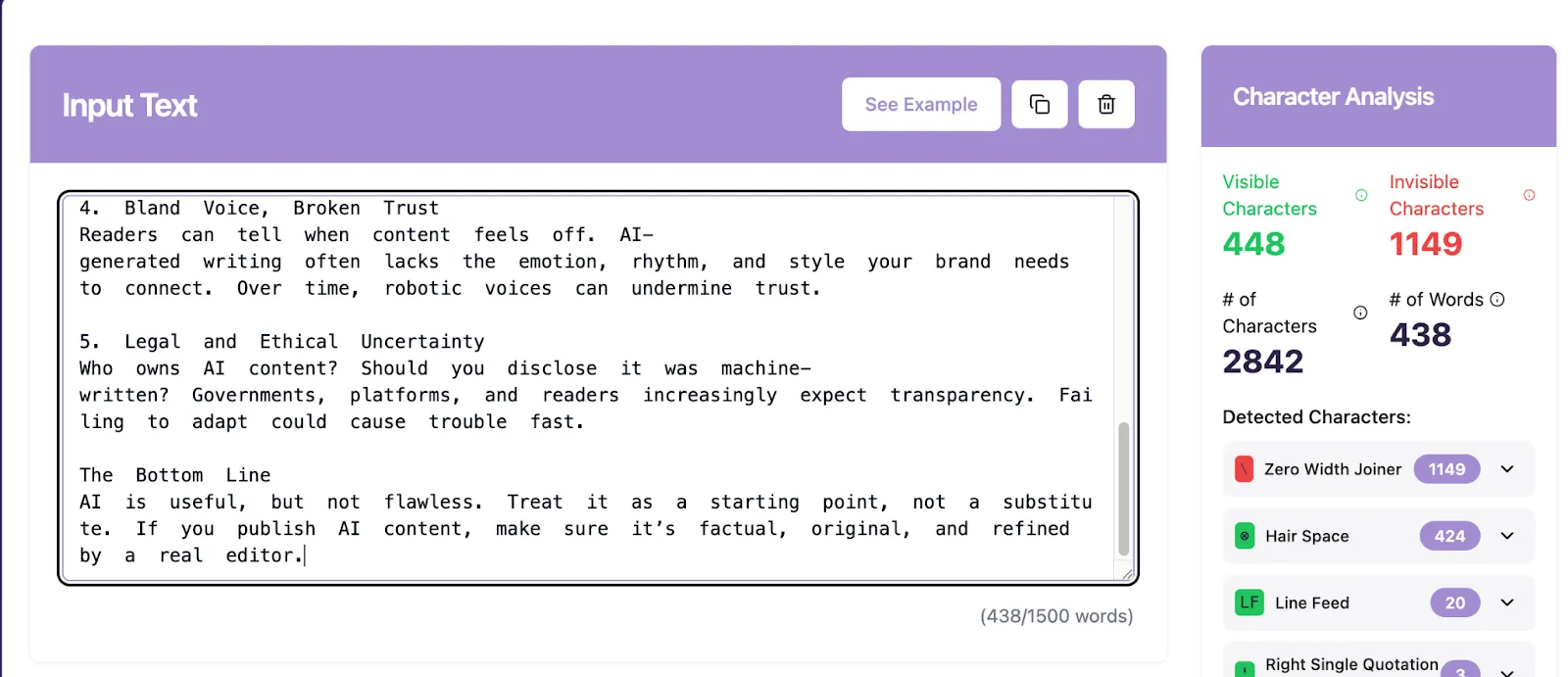
When ChatGPT was asked to purposely include extra characters, it led to a caution from them…
Do all large language models sneak in hidden characters?
Yes, they do. We tested the same prompt on different well-known LLMs to check for hidden characters.
Prompt: Draft a LinkedIn post highlighting the advantages of formatting LinkedIn posts.
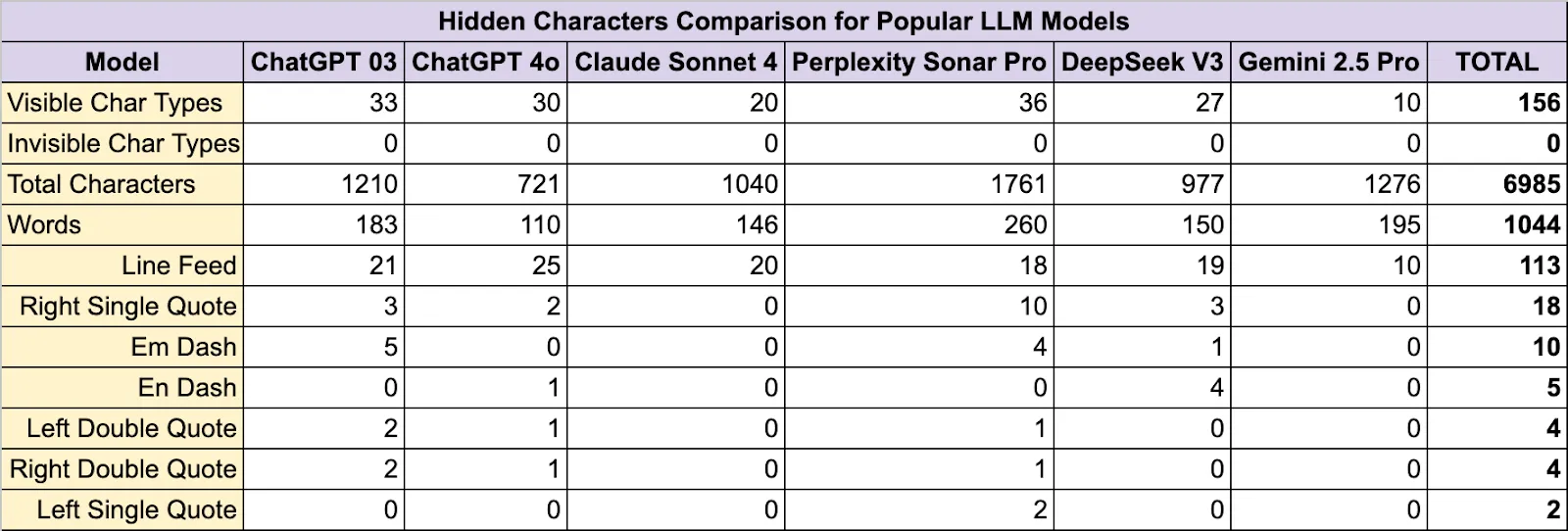
No model made an Invisible Character, but they all used visible Unicode characters for formatting a lot.