
Before landing on the site where you’re reading it (thanks, by the way!), this article was crafted in Google Docs. We guess you use it too for writing and formatting because it’s handy and free.
But, doing more than writing and editing – like checking for plagiarism – isn’t simple. Google Docs lacks a built-in tool for this. So, teachers, students, and writers must find a trusted plagiarism checker, paste the text they need to check, and handle it on another platform. It’s manageable with one document, but with many, it gets tough.
That’s where Google Docs add-ons help out.
Extensions boost what Google Docs can do, letting users add features that aren’t built-in. For example, plagiarism-checking extensions can scan the text to find similarities and show results directly in the document!
How to Use Plagiarism Checking Google Docs Add-On
To see if there’s any plagiarism in your Google Docs, follow these simple steps using our add-on.
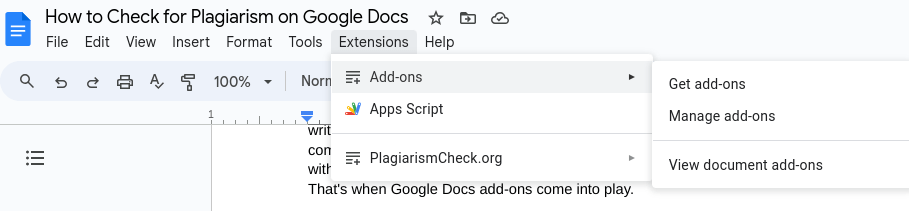
- To add new tools to Google Docs, head to the Extensions tab and select Add-ons. Click “Get add-ons” to pick the tool you need. For this example, we choose the PlagiarismCheck.org add-on.
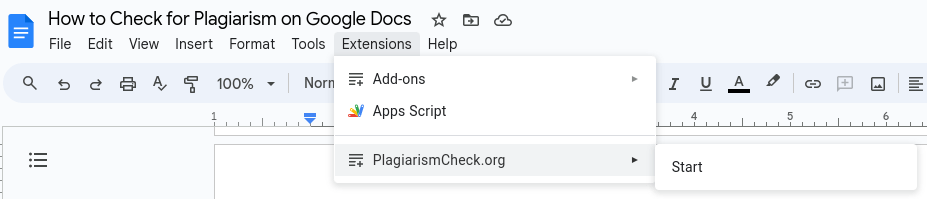
- Once you’ve installed it, find the tool in your Add-ons menu. To use it, simply click “Start”!
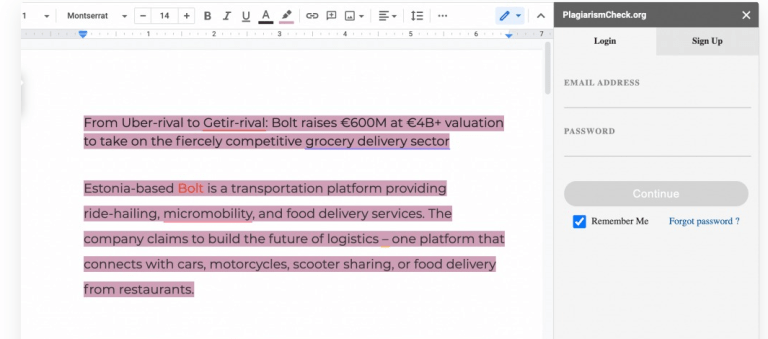
- The system prompts you to log in. PlagiarismCheck.org’s add-on is free for those using the service. If you’re new, sign up now and get a free check instantly!
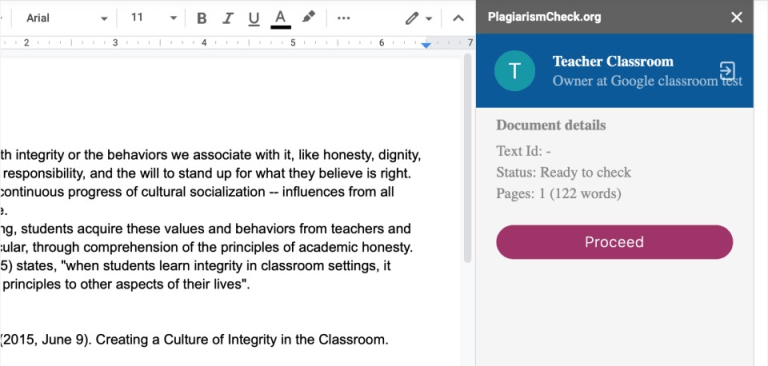
To run the check, ensure your balance has pages. The add-on counts scanned pages like it does on the PlagiarismCheck.org website.
- Click “Next” to scan your paper for copied content.
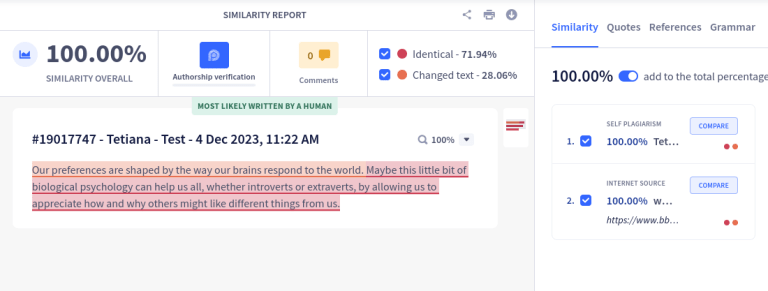
You’ll find the result on this page! Tap “Open report” to view the detailed analysis and check the sources.
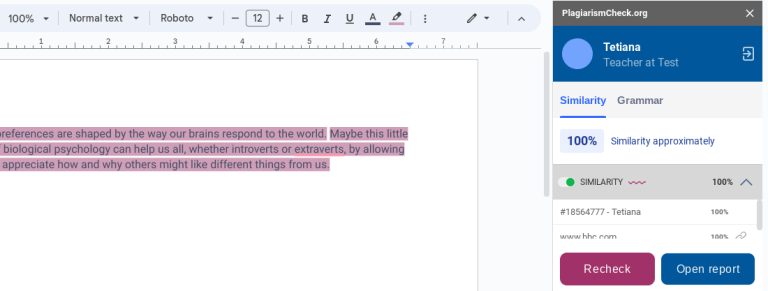
Check the links to see how the paper compares to where similarities were found. Determine if a person or AI wrote it, and improve your writing. The tool will guide you on what parts need changes!
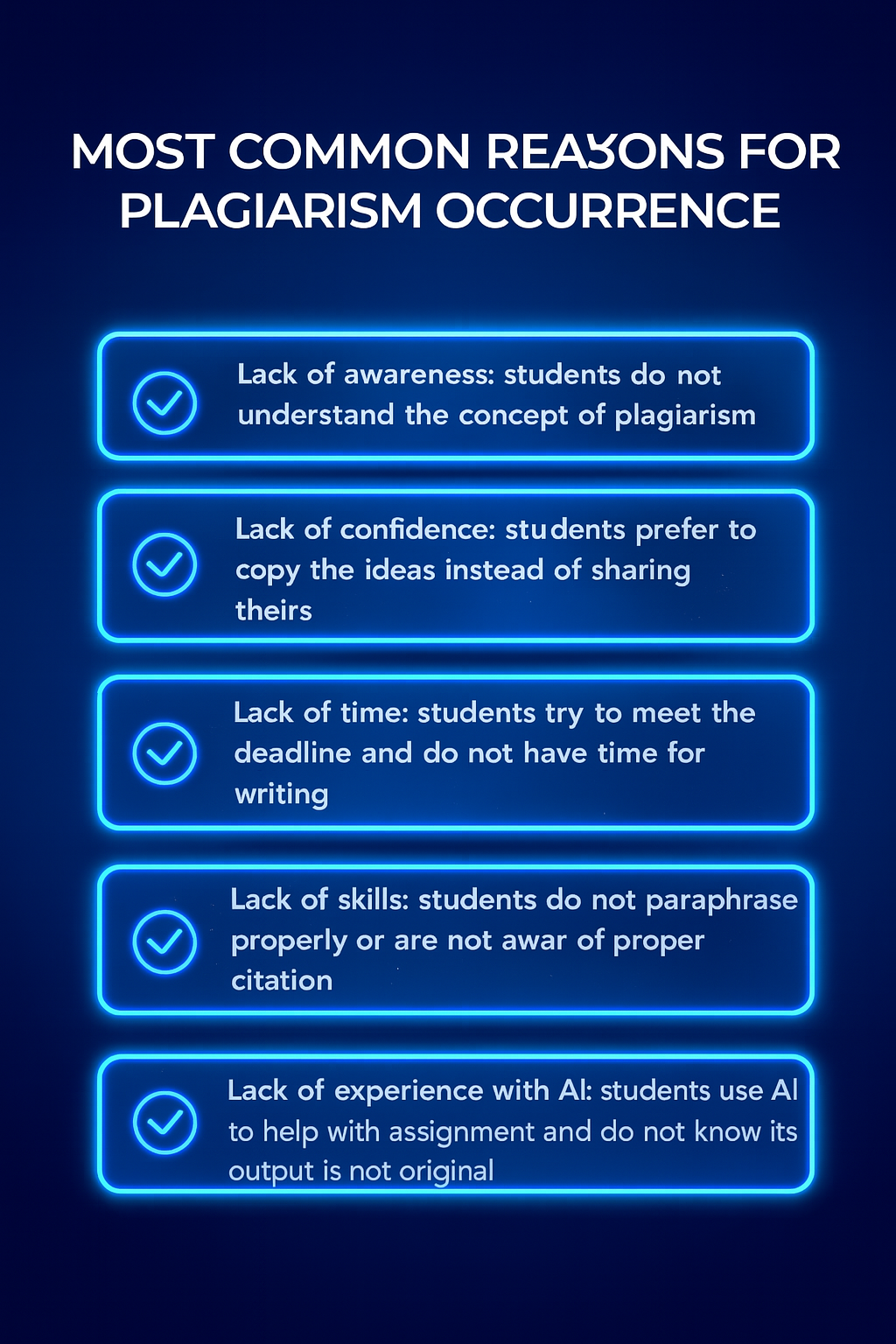
 To tackle the core of the problem instead of the outcomes, think about the usual causes of plagiarism in schools.
PlagiarismCheck.org provides a reliable tool for checking plagiarism and an AI text checker that’s helpful in every scenario. Explore our user-friendly platform, use the Google Docs add-on, and discover LMS integrations and browser extensions to ensure your work is always original!