
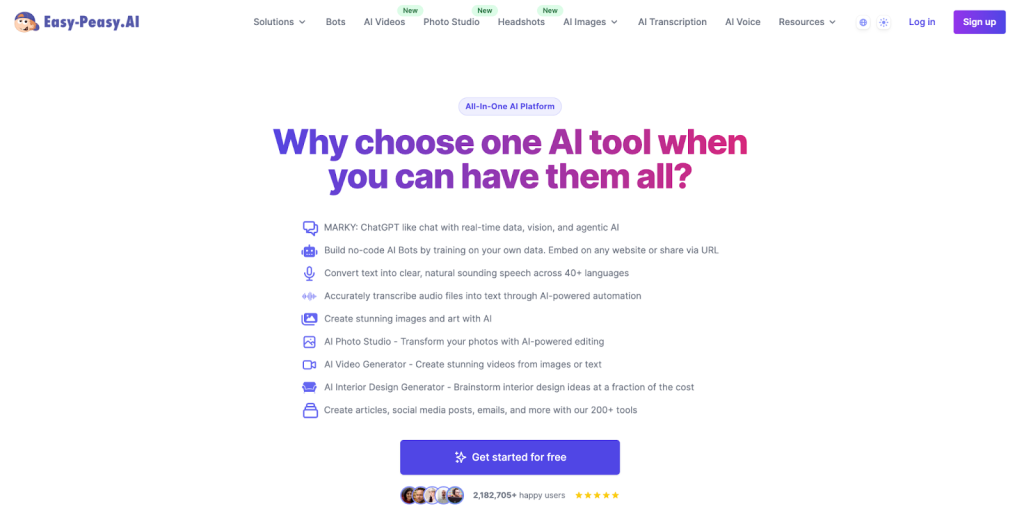
In today’s fast digital world, speed and style are key. Easy Peasy AI offers a writing tool that stands out. It’s not just for any content; it’s for specific tasks. Unlike many flashy AI tools, it focuses on clear and creative communication. Easy Peasy AI adapts to your needs, whether you’re writing for many brands or turning data into easy-to-read info.
Where Practicality Meets Production: The Rise of Focused AI
Tools write everywhere. Tools that understand are rare. Easy Peasy AI does not do all things. It does the right things for creators, teachers, and leaders.
Templates That Target Business Outcomes, Not Just Words
Easy Peasy AI focuses on real tasks. It offers templates for specific needs. You can rewrite updates, make meeting notes clear, or create product FAQs. These tools solve real writing problems for professionals.
Intuitive, No-Instruction Workflows
Easy Peasy AI makes starting simple. You don’t change settings or edit prompts a lot. It’s built so anyone can use it. Just type your goal, and get results. No need for manuals or formulas.
How Easy Peasy AI Supports Functional Roles, Not Just Writers
This platform helps real writers get things done. It’s for teams inside a company and for content creators outside.
Content Strategists and Creative Directors Working With Version Control
Easy Peasy AI helps a lot when moving from ideas to edits. Creative leaders can make many versions of an idea in different styles and lengths. This doesn’t break the story flow. Whether talking to a design team or showing choices to a client, this tool makes content decisions faster without crowding the schedule.
Operations Managers Communicating Change and Process
When a company changes processes, like with new tools or rules, managers must explain these changes fast. Easy Peasy AI turns simple bullet points into clear updates, helping leaders keep things clear without many drafts.
Support Teams Building Reactive Knowledge Bases
Customer service teams use Easy Peasy AI to turn tech talk into clear help. It changes engineering notes into DIY articles or makes outage alerts into calm messages. This helps fast-growing companies keep a steady support voice.
The Hidden Power of Easy Peasy AI in Education
Easy Peasy AI aids teachers. It boosts learning and improves lesson plans with targeted writing help.
Rapid Lesson Adaptation Based on Learner Levels
Teachers don’t need to start lesson plans from zero. They can put in a big idea, like how photosynthesis and cellular respiration differ. Then, they get three versions of this idea: one for beginners, one for middle-level readers, and one for advanced learners. This smart help saves teachers time and energy, so they can pay more attention to their students.
Real-Time Feedback Model for Peer Review Training
Teachers can use Easy Peasy AI to create helpful feedback. When a student writes an essay, the tool can give three types of peer feedback: positive support, style tips, and technical fixes. This helps students learn how to give and take feedback well.
Equitable Learning Material for Multilingual Classrooms
Easy Peasy AI helps in classrooms. Teachers can change instructions into simple English or other languages. This way, all students understand the lessons, no matter where they are from.
Freelancers Who Bill by the Deliverable, Not the Hour
Time is key for freelancers. Easy Peasy AI helps them create good work fast, keeping clients happy and moving to the next job.
Proposal Generation That Mirrors Voice and Niche
Freelancers can use Easy Peasy AI to create custom cover letters and RFP responses. They can add client info, project details, and tone rules. This makes the submissions unique and competitive, matching the freelancer’s service model.
Realigned Deliverables Based on Scope Shifts
When a client changes the brief, Easy Peasy AI helps freelancers adapt quickly. Instead of starting from scratch, they can adjust the draft to fit the new angle, tone, or platform. A LinkedIn post can become a newsletter summary. A short script can turn into a webinar outline.
Built-In Quality Benchmarking
Freelancers check their work on the platform. They look for clear writing, matching tone, and ways to engage readers. This helps them review their work well before sending it in.
Easy Peasy AI for Internal Knowledge Flow and Documentation
Company communication can get chaotic. Easy Peasy AI helps by improving content flow inside, which cuts confusion and boosts teamwork.
Synthesizing Meeting Debriefs and Planning Notes
After meetings, Easy Peasy AI turns notes into clear memos. It lists who does what, when it’s due, and what’s next. It does this fast, saving time.
Creating Uniform Training Materials Across Departments
Internal training often struggles with tone inconsistency or duplication. Easy Peasy AI fixes this by standardizing documents. It helps teams keep a steady tone across onboarding packets, SOPs, or policy explainers, without starting from scratch each time.
Fast-Turn Compliance Messaging for Non-Legal Teams
Legal sends updates. Ops or HR teams explain fast. Easy Peasy AI turns legalese to plain talk. It keeps legal facts right and helps workers understand better.
Breaking the Automation Myth: Easy Peasy AI Doesn’t Replace Thinking
While some believe tools like Easy Peasy AI diminish creativity, this platform demonstrates the opposite—it enhances critical thinking by offloading routine writing tasks, freeing up mental space for more strategic decision-making.
Output That Encourages Curation, Not Copy-Paste
Easy Peasy AI helps you write but doesn’t give finished articles. It offers ideas, phrases, and outlines to help you improve your writing. You are the expert, and it provides tools to help you share your knowledge effectively.
Scaffolding for Non-Writers to Build Communication Confidence
Not all workers are copywriters, but many need to write often. Easy Peasy AI helps them sound polished, not robotic. It guides structure, clarifies meaning, and offers words they may need when stressed.
Enabling Draft-Driven Dialogue in Collaborative Environments
Group work can feel simpler when reacting to something rather than starting from zero. Easy Peasy AI helps teams by providing a draft to kick things off. Meetings and feedback become more useful. People can chat about the words, the feel, or the size of the project since there’s already something to work with.
UX Design Built for Work, Not Wow Factor
Easy Peasy AI skips the flashy stuff. No animations or command lines. That’s what makes it smart.
Simple Panels, Rapid Response
The interface splits into input panels and editable outputs. You type, prompt, and get content, with no setup needed. It feels like a work tool, not for fun.
Mode Switching That Reflects Work Realities
Easy Peasy AI helps in both brainstorm and polish stages. It offers five ideas or one refined sentence. This makes it useful at every step of creating content, not just the start or end.
Cross-Device Consistency Without Lag
Easy Peasy AI works the same on any device. So, whether you’re a marketer on the go, an executive in the air, or a freelancer in a cafe, you get the same experience. This makes it a key tool for getting things done, not just a fun gadget.
Easy Peasy AI Compared to Other Tools You Might Use
Let’s be clear. You might like AI tools with big ads or lots of fans, but what counts is what works for you.
Unlike Chat-Focused Tools, It Doesn’t Need Back-and-Forth
Easy Peasy AI works without needing many prompts. You tell it what to do, and it gives you results fast. This is great for busy people who don’t want to manage the tool all the time.
Unlike Design-First Tools, It Doesn’t Compete With Canva
Tools like Simplified aim to combine design and content creation. Easy Peasy AI, on the other hand, focuses solely on writing. This focus makes it quicker and more effective than platforms trying to do it all.
Unlike Coding-Dependent Interfaces, It’s Truly Plug-and-Play
Some AI tools need you to know prompts or scripts. Easy Peasy AI is for people who just want their stuff by 3 PM. It gets it done.
Why Easy Peasy AI Wins With People Who Need Real Work Done
Easy Peasy AI helps you write better and faster. It’s precise and flexible, making it great for creative and work tasks. Whether you juggle many projects or turn plans into actions, it speeds up your workflow.