
Make sure your writing is original. This is key for school and work. If plagiarism is found, it can damage your reputation. You might also face legal issues. Mistakes happen, but checking for plagiarism often can help prevent these problems.
Keeping your work original is key. It’s not just about school; it’s about being right and professional. If you copy too much, people might think less of you. You could even get into trouble. Sometimes, you might copy by accident. Using a tool to check your work helps you improve and ensures you’re not taking too much from others.
Many students and teachers use Chegg to check for plagiarism. But how does Chegg compare to other tools? Let’s explore what Chegg’s checker offers.
What’s Chegg’s Plagiarism Checker?
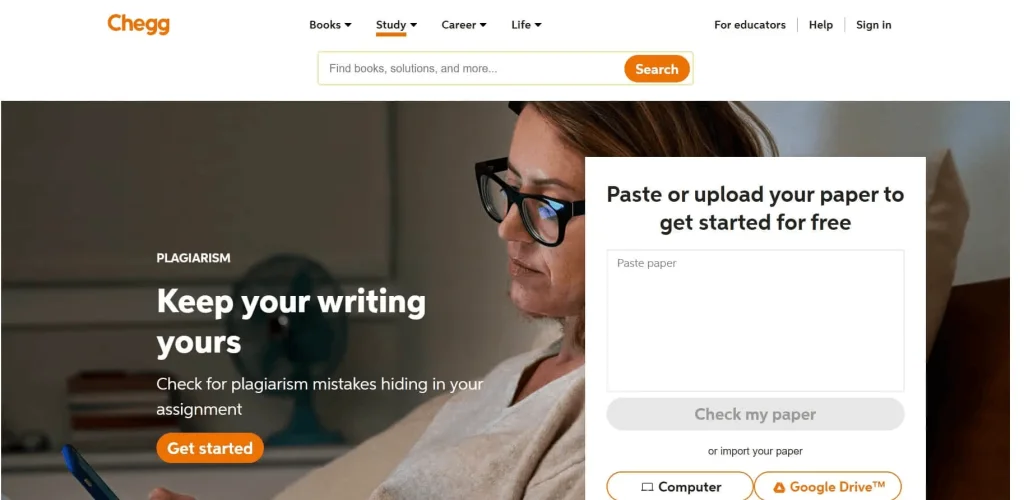
Chegg is a big company that helps students. They don’t just check for copied work. They also offer e-textbooks, online tutoring, and a math solver to assist students with their studies.
How does it work?
Chegg’s Plagiarism Checker works like many online tools. It helps students and professionals ensure their work is original. Chegg can scan various file types, such as plain text, PDFs, DOCs, and DOCX files. You can also link a Google Docs file, and Chegg will check it for plagiarism.
Chegg’s Plagiarism Checker helps students in many ways
Firstly, it allows you to use various file types. Chegg employs smart AI and a vast amount of information from the internet, schools, and numerous databases. It reviews your work and informs you if it’s original by providing a special score after checking for plagiarism.
If you pay for a Chegg account, you get a detailed report. This report finds possible plagiarism and gives tips to fix it. It suggests better ways to rewrite or credit sources. It works fast, whether you upload or paste your text.
Chegg is simple to understand. It works like Grammarly and other writing tools by offering tips to improve your writing and grammar.
Using the Chegg Plagiarism Checker
To check your work for plagiarism with Chegg is simple.
Here’s what you do:
- First, go to the Chegg website. Look at the top where it says “Plagiarism Checker” and click it.
- You’re now on the plagiarism checker page. Click “Select File” to choose a document from your computer. You can also paste your text or use a Google doc link.
- Choose your document’s language from a menu. Then, tell Chegg what type of document it is, like an essay or a research paper.
- Choose the education level for the document from the options given on Chegg, then click the “Check Plagiarism” button.
- Hold on while the scan completes. The time it takes depends on your document’s length and the number of sources Chegg checks.
- Once finished, you get a report. It shows the originality percentage of your document. If any parts match other sources, it highlights those and compares them with your work.
- You can now tweak your work based on the results. The plagiarism tool will guide you on how to rephrase or cite correctly.
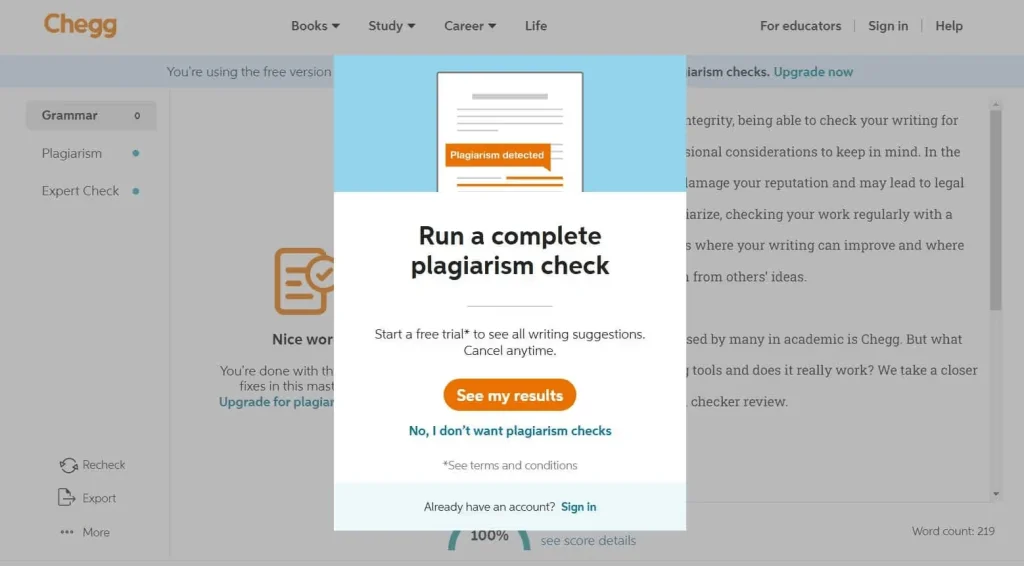
Checking for copied work on Chegg is really easy – just push a button.
Chegg’s Plagiarism Checker: The Good and Bad
Like every tool that checks for copying online, Chegg’s version has its good points and its bad points.
Pros:
- Chegg checks many websites and online resources, like studies and student papers, to see if work is copied.
- Chegg’s tool to spot copied work is easy to find and use. Students can check their work and cite their sources without hassle.
- Chegg is easy to use with a simple and clear design, perfect for beginners.
- Chegg can show results fast when checking for copied work, usually in a few minutes, but it might take longer if the paper is long.
Cons:
- Chegg’s tool for spotting copied work only works well if you pay. Without paying, you can’t do a full check.
- Sometimes, this tool claims something is copied when it isn’t.
- Chegg’s tool, like others, can’t catch all copied work.
- It works with only a few file types.
You need a special account to use Chegg’s full check for copied work.
Looking for Chegg Plagiarism Checker Alternatives
Other tools like Grammarly and Bypassengine check for copied work better and cost less. Though you pay for Grammarly and Bypassengine, unlike Chegg’s free checker, they offer more detailed results and extra help that students and workers will appreciate.
Grammarly helps improve your writing style and tone. Meanwhile, Bypass engine checks for AI-generated content and plagiarism.
What’s Bypassengine?
Bypassengine checks for copied work. It doesn’t just look for usual copied stuff but also finds if an AI wrote something. It’s not just for schools, but teachers can use it to spot essays that AI, like the newest ChatGPT, wrote.
How does Bypassengine figure out stuff?
Bypassengine uses smart AI tools to find clues that show if AI, like ChatGPT, wrote something. It keeps learning from new data because AI writing improves as time goes on. So, as things change, gets better at spotting computer-written text.
Bypassengine starts by breaking text into small bits. Then, it compares these bits with many documents it knows. It’s great at spotting similarities. Using its learning skills, it figures out if the text is copied or original. For example, it won’t flag a quote or common saying as copying. It’s smart at telling the difference.
Once the scan is done, it gives the user a colorful report. This report shows each possible match, making it easy to fix them.
The Simple Scoop: Is Chegg’s Plagiarism Tool Good to Use?
Chegg has a basic plagiarism tool. When you look at other tools out there, Chegg isn’t as good because it has a smaller database and it costs more. If you only need a simple check for copying now and then, Chegg might work for you. But, against tools that use AI and know a lot about languages, like Bypassengine, Chegg can’t really keep up. These advanced tools can think better about what counts as copying, not just when words are exactly the same.
Give Bypassengine a try! You can check your papers for just one penny per 200 words. Whether you pay for each paper you check or get a plan, AI helps you make sure your work is top-notch, written by a person, and not copied.