
With ContentBot AI, writing gets a whole lot easier for marketers. It’s made to help you write better, plus it works with WordPress. Want to know more? Dive into our full review.
We’re here again to check out a new AI writer, ContentBot AI.
Can this tool make making stuff easier for you and your friends at work, or is it a no-go?
In our talk, we’re going to dive into:
- What’s Good About ContentBot AI
- Using It the Right Way
- All the Things You Can Create
- What You’ve Got to Spend
- Cool Features
- The Good and The Bad
- Other Choices
- The Bottom Line
ContentBot AI Review in Short
- Easy to Use: 8 out of 10
- What it Offers: 7 out of 10
- Help from the Team: 7 out of 10
- Cost: 6 out of 10
- How Fast it is: 8 out of 10
Summary – 7/10
ContentBot AI helps make blog posts and different kinds of writing. But, it doesn’t offer anything unique that we haven’t seen before. Usually, this wouldn’t be a big problem. However, without a free trial, unlike many similar tools, deciding to use this platform becomes harder.
How We Check AI Tools
Before we talk about if ContentBot AI can make good content, we should say where our info came from for this review.
We got all our info from using the tool ourselves to see how it makes content. We didn’t use other people’s reviews.
We’re all about being clear, so you know our thoughts on AI tools come from our own tests.
Who should use ContentBot AI?
ContentBot AI comes with many cool tools and designs for making stuff. These tools are mostly for making ads and stuff, which is perfect if you’re into marketing, giving advice on marketing, or working by yourself.
Also, there’s a special tool for WordPress sites. If you have one, you can quickly show your work to the people you want to reach.
How to Make the Most of ContentBot AI
Without a free trial, you might want to try the tool by paying for what you use. But if you do the math, using it this way gets expensive fast. After 19,000 words, you’re spending as much as you would on a Starter Plan that gives you 50,000 words.
The smart move is to sign up for the subscription to check if the tool suits you. Even though a free trial isn’t available, they offer a 7-day money back guarantee. So, if the tool doesn’t work out for you, it’s okay to ask for a refund!
What Kind of Stuff Can ContentBot AI Make?
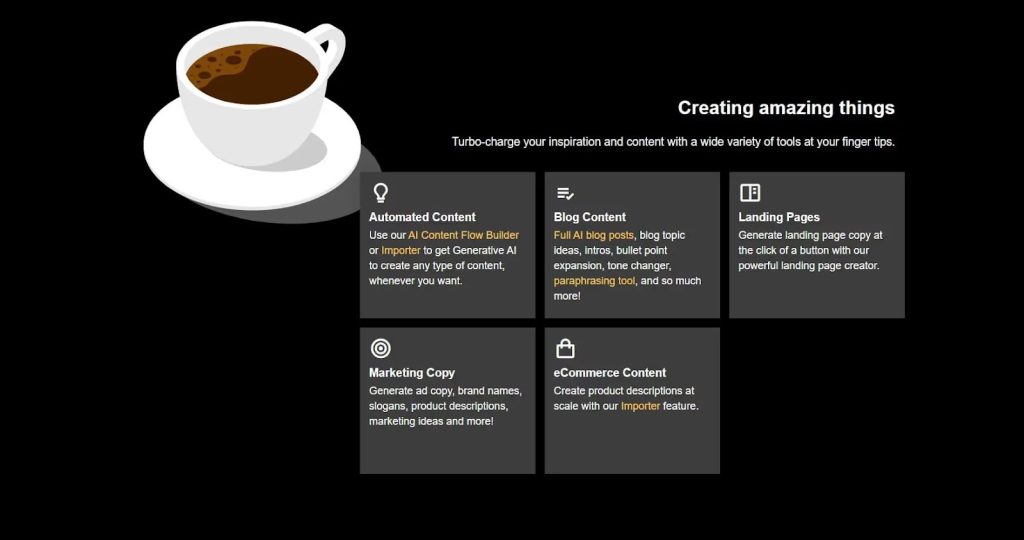
We talked about how this tool mainly helps people who make stuff for marketing. So, the kind of things you can make with it mostly have to do with marketing, like blog articles, posts for social media, and more.
What’s the Price?
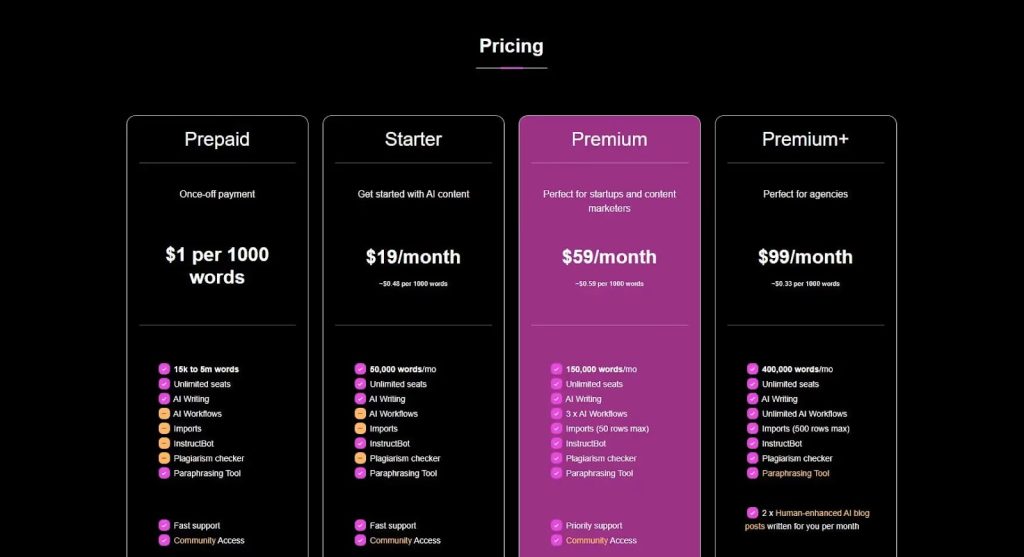
Easy Writing Plan – Pay $1 for every 1000 words
- For 15,000 to 5 million words
- Everyone can join
- Robot helps write
- Tool to change words
The Basic Plan – Costs $19 every month
- Includes 50,000 words
- Allows everyone to join without limits
- Features AI writing help
- Comes with InstructBot
- Offers a tool for changing words around
The Best Plan – $59 every month
- You can use up to 150,000 words
- Everyone can join, no limit
- Help with writing from AI
- You get 3 AI helpers for your tasks
- You can bring in stuff, but only up to 50 rows
- There’s a guide AI
- It checks if your work is original
- You can change words around with a special tool
The Premium+ Plan costs $99 each month
- You get to use 400,000 words
- Have as many people as you want use the service
- This plan lets you write with AI, create endless AI tasks
- Add up to 500 items at once
- It includes InstructBot to guide your writing
- Checks your work to make sure it’s original
- Helps you rewrite stuff in new ways
- Gives you 2 blog posts written with the help of AI each month
Important Features of ContentBot AI
WordPress Plugin

One important thing is how fast and simple it is to add this tool to WordPress with ContentBot’s add-on. This means people who have websites on WordPress can put out their stuff quicker and without hassle, making things move faster.
Import files
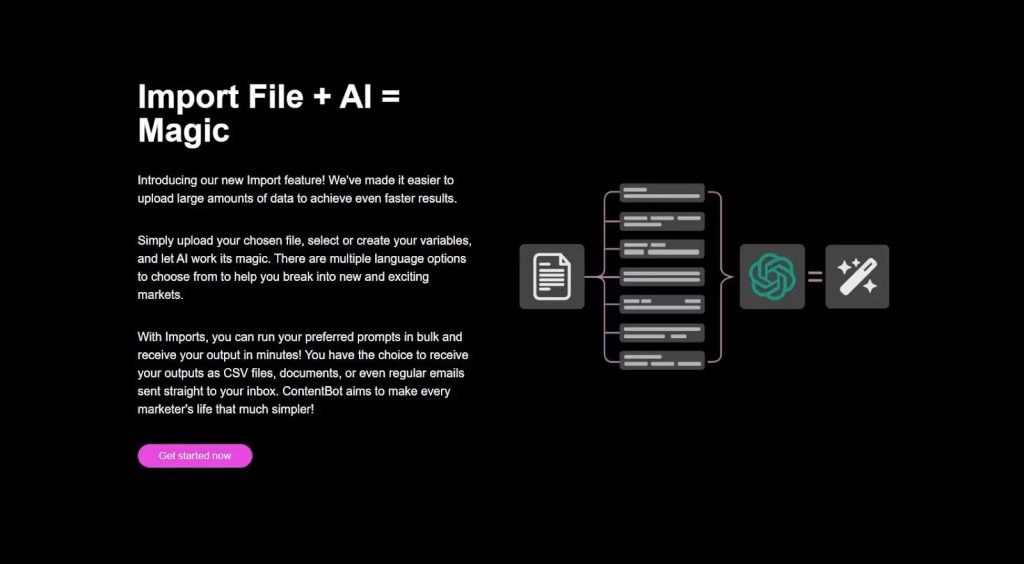
ContentBot AI lets you put stuff in, then changes it how you want. It’s great if you need new content fast and don’t have much time or help.
Drag and Drop AI Content Generation
ContentBot AI uses a special way to make AI content, where you can just drag and drop to write. It might take a bit to learn how it works, but it lets us shape the content better. This helps a lot with SEO, something a lot of AI tools forget.
AI Flow
The best thing about ContentBot AI might be its AI Flow. You can make full content plans by dragging and dropping, telling the AI tool all the details you want.
AI Options Guide
You likely know, there are lots of AI tools out there for picking today!
Many are like ContentBot AI, giving you features and extras. They often let you test them for free too. Great picks are Neuraltext, Krater AI, and Word AI.
Your choice can depend on if you need a tool for all tasks or just special ones in content marketing..
ContentBot AI Review: What You Need to Know
ContentBot AI is really helpful and has great prices. It has cool things you don’t see everywhere, like paying only for what you use, the AI flow, and a special option in their Premium+ plan where real people make the AI’s content even better.
But, it’s a bummer they don’t offer a free trial. Most services like this let you try before you buy, so it would be great if they could start doing that soon.
Questions People Often Have about ContentBot AI
Is ContentBot AI safe to use and works well?
Although some parts of it are not as strong as in other AI tools, we found ContentBot AI really helpful for making content. Also, it’s cool that it has a feature where humans make the AI content even better.
Does it cost money to use ContentBot AI?
Like most AI tools for writing, you need to pay to use ContentBot AI for making content. But there are different plans you can quickly sign up for, including an option to pay only for what you use, which is great for when you just need one blog post.
How is ContentBot AI different from ChatGPT?
Both help you make great content, but ContentBot AI has extra features that make it easier to write blog posts, social media stuff, or plan out your content.